In this article

share:

Chase Paze Bonus: How to Earn Extra Points at Online Checkout

Chase Sapphire and Freedom cardholders may earn extra points with Paze at online checkout. Learn how it works, where to use it, and when it’s worth it.

Written by: Sebastian FungLast updated: May 25, 2026
share:
paze.png
Advertiser Disclosure: Some of the card links and other products that appear on this website are from companies which AskSebby will earn an affiliate commission or referral bonus. AskSebby is part of an affiliate sales network and receives compensation for sending traffic to partner sites, such as CreditCards.com. This compensation may impact how and where products appear on this site (including, for example, the order in which they appear). This site does not include all credit card companies or all available credit card offers.
Eligible Chase Sapphire and Freedom cardholders may be able to earn extra points when using Paze at participating online merchants.

What is Paze?


Paze is a digital checkout wallet for online purchases. It lets you pay at participating merchants without manually entering your full card number.
For eligible Chase customers, Paze can display qualifying Chase credit and debit cards at checkout. The wallet is provided by Early Warning Services, the same company behind Zelle®, and is supported by several major U.S. banks, including Chase, Bank of America, Capital One, PNC, Truist, U.S. Bank, and Wells Fargo.
The main value proposition is security and convenience. Paze uses tokenization, meaning the merchant does not receive your actual card number at checkout. Instead, the transaction uses a token tied to the payment.

Why Chase cardholders should care


Paze is not automatically better than Apple Pay, PayPal, Google Pay or Shop Pay. Most of the time, it is simply another checkout option.
Some Chase Sapphire and Freedom cardholders are seeing a limited-time offer for 10 additional points per dollar when checking out with Paze at participating online merchants. The offer is capped at $1,500 in Paze purchases per month, which means a cardholder could earn up to 15,000 extra points per month before normal card earnings.
The offer is scheduled to run through December 31, 2026, but eligibility can vary by card and account. 
Check your Chase account to see if you qualify for the Paze promo. You can find it in the Chase Ultimate Rewards portal under "Explore ways to earn points."

Chase Paze Offer Details

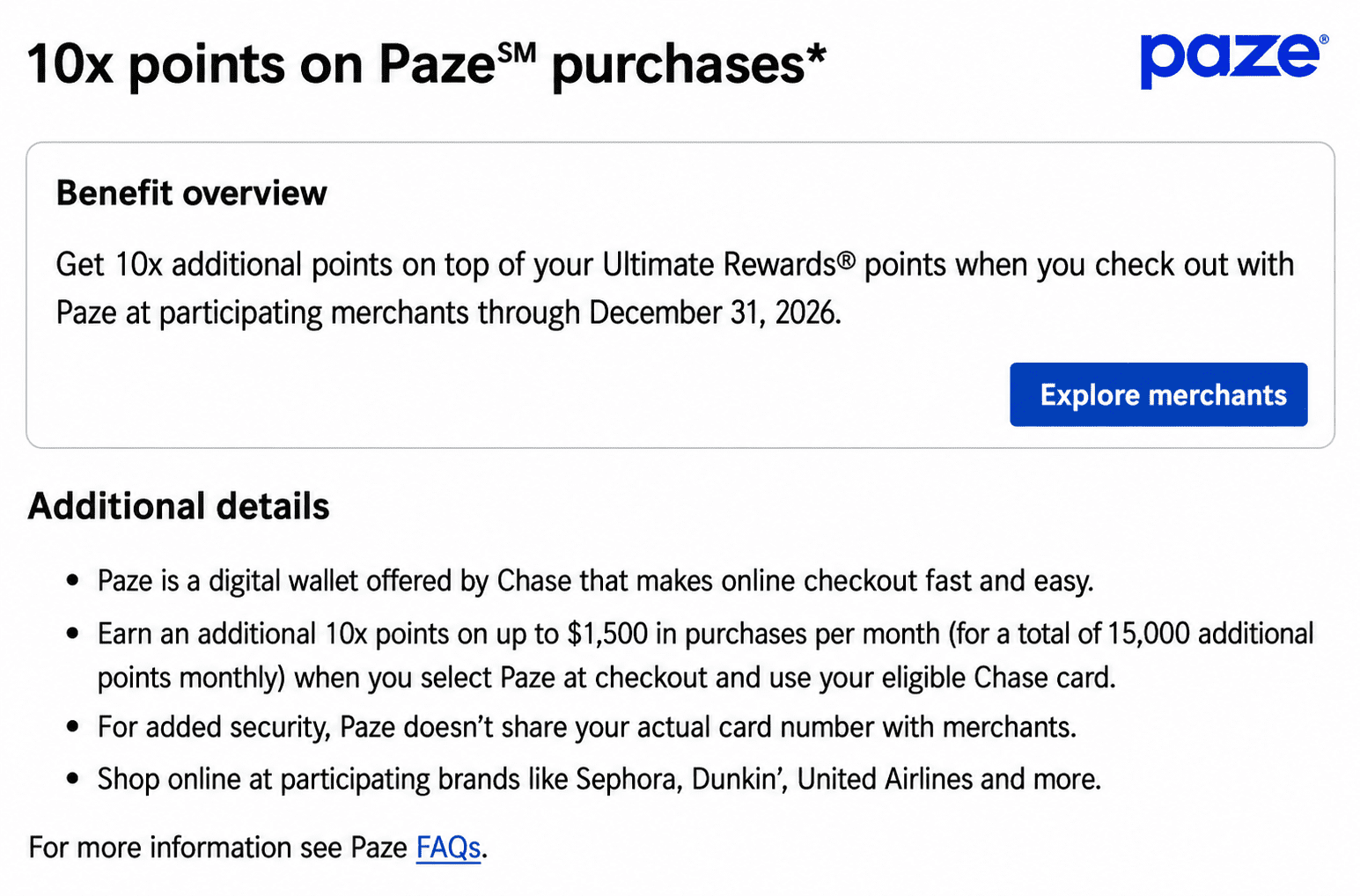
Get 10x additional points on top of your Ultimate Rewards® points when you check out with Paze at participating merchants through December 31, 2026.
• Paze is a digital wallet offered by Chase that makes online checkout fast and easy.
• Earn an additional 10x points on up to $1,500 in purchases per month (for a total of 15,000 additional points monthly) when you select Paze at checkout and use your eligible Chase card.
• For added security, Paze doesn’t share your actual card number with merchants.
• Shop online at participating brands like Sephora, Dunkin’, United Airlines, and more.
paze offer.png
10X Paze offer

Which Chase cards may be eligible?


The Paze bonus is available for select Chase Sapphire and Freedom cardholders.
Cards that may show the offer include:
CardWhen to use the card...
Chase Sapphire Reserve®Best fit if Paze is available for travel purchases.
Chase Sapphire Preferred® CardStrong if the purchase already fits your spending plan.
Chase Freedom Flex®Useful for maximizing no-annual-fee Chase earnings.
Chase Freedom Unlimited®Good for general online purchases.
Chase Freedom®Legacy cardholders should check their account.
Do not assume every Chase card qualifies. Paze access and bonus eligibility can differ by product, account type, and cardholder status.
Chase business cards, authorized user cards, and certain other account types are not eligible for Paze. That matters because the Paze bonus is tied to both the checkout method and an eligible card.
💰 Huge Intro Bonus
card art for the Chase Sapphire Reserve® cardChase Sapphire Reserve®
Earn 150,000 bonus points after you spend $6,000 on purchases in the first 3 months from account opening.

Annual fee: $795

Sebby's Take: This premium travel card is packed with perks like airport lounge access, travel credits, and elevated rewards on travel and dining. It’s a top choice for frequent travelers who want premium benefits and flexible redemption options

✈️ Best Beginner Travel Card
card art for the Chase Sapphire Preferred® Card cardChase Sapphire Preferred® Card
Earn 75,000 bonus points after you spend $5,000 on purchases in the first 3 months from account opening.

Annual fee: $95

Sebby’s Take: One of the best starting points into the travel rewards world. You have flexible points, strong multipliers, a reasonable annual fee, and tons of optionality (whether team cash back or travel).

card art for the Chase Freedom Unlimited® cardChase Freedom Unlimited®
Earn a $200 Bonus after you spend $500 on purchases in your first 3 months from account opening

Annual fee: $0

Sebby's take: Great multipliers and is a great standalone card or system card (Chase Trifecta). With no annual fee and tons of optionality (cash back or travel since you earn UR) it's an easy pickup.

card art for the Chase Freedom Flex® cardChase Freedom Flex®
Earn a $200 Bonus after you spend $500 on purchases in your first 3 months from account opening

Annual fee: $0

Sebby’s Take:  One of the strongest no-annual-fee cards that earn 5% cash back on up to $1,500 on combined purchases in bonus categories each quarter you activate, useful everyday bonus categories, and the ability to unlock more value when paired with an eligible Sapphire card. It's marketed as cash back and earns Chase Ultimate Rewards points.

How much can you earn?


The offer is straightforward if your card qualifies: 10 additional points per dollar on up to $1,500 in Paze purchases per month.
Monthly Paze spendingExtra points at 10x
$2502,500 points
$5005,000 points
$1,00010,000 points
$1,50015,000 points
A cardholder who maxes out the monthly cap could earn 15,000 extra points per month. That is before the card’s normal rewards rate.
The practical value depends on merchant acceptance. Paze is still not available at every online retailer, so this is more of an opportunistic play than a full wallet strategy.

Where can you use Paze?


Paze is available at a growing list of online merchants, though availability may vary depending on the checkout flow. The official merchant directory is the best place to check before planning around a specific retailer.
Current merchant categories include apparel, beauty and health, electronics, flowers and gifts, food and grocery, services, and travel and entertainment. Participating merchants can change, so check the Paze merchant directory before planning around a specific retailer.
Notable merchants include Newegg, United, ShopRite online, Dunkin’, Domino’s, and Sephora. Newegg is especially interesting because it sells a wide range of products and may also offer select gift cards. 
The biggest limitation is acceptance. Paze can be valuable when it appears, but it is not yet as broadly useful as more established checkout wallets.
paze merchants.png
Some Paze Merchants
Paze can also stack with shopping portals in many cases. The portal handles the referral click, while Paze is simply the payment layer. That means you may be able to start with Rakuten, Rove, or another shopping portal, click through to the merchant, and then choose Paze at checkout with an eligible Chase card.
The optimal strategy is to start with the portal, complete the purchase in the same browser session, avoid unlisted coupon codes, and choose Paze only at the payment step. For larger purchases, take screenshots of the portal rate, checkout page, and final receipt.

Best ways to use Chase and Paze


The best Paze purchase is one you were already planning to make.
This offer is most compelling for larger online purchases where the price is competitive, and the merchant accepts Paze. Travel, electronics, gifts, and select retail purchases are the most obvious categories to check first.
Purchase typeWhy it can work
TravelLarger purchases can use more of the monthly cap.
ElectronicsHigh-ticket orders can generate meaningful points.
Gifts and flowersUseful when pricing is competitive.
Food and deliveryEasy for smaller test purchases.
Retail purchasesWorth checking before checkout.

How to use Paze with Chase


Activate Paze using the Chase Mobile® app or on your first purchase with a participating online merchant; you only have to do this once.
  1. Sign in to the Chase Mobile app.
  2. Select one of your credit or debit card accounts.
  3. Go to "Manage Account'' and choose "Digital Wallets."
  4. Select "Activate Paze."
At checkout, select Paze, verify your identity, choose the eligible Chase card, and complete the purchase.

Can you stack Paze with a shopping portal?
Yes, in many cases, Paze can stack with a shopping portal because Paze is only the payment layer.
The shopping portal handles how you get to the merchant. Paze handles how you pay once you are there. That means you may be able to click through a portal like Rakuten or Rove, shop as usual, and then choose Paze at checkout with an eligible Chase card.
That can create three layers of value:
LayerExample
Shopping portalEarn cash back, flexible points, or airline miles.
Paze bonusEarn extra Chase points if your card has the offer.
Normal card rewardsEarn the card’s standard rewards on the purchase.
For example, you might click through Rakuten before buying from a participating retailer, then choose Paze at checkout with an eligible Chase Sapphire or Freedom card. If everything tracks properly, the portal can pay out separately from the Chase Paze bonus.
The same idea can apply to Rove or other shopping portals. The key is that the portal tracks the referral click, while Paze processes the payment.
There are a few catches. Portal tracking can fail if you use coupon codes, switch devices, leave the merchant site, or complete checkout in a way that breaks the tracking session. Some merchants also exclude certain products, gift cards, subscriptions, or payment methods from portal earnings.
The best practice is simple: start with the shopping portal, click directly to the merchant, complete the purchase in the same session, and choose Paze only at the payment step. Take screenshots of the portal rate and checkout page for larger purchases.

What to check before paying with Paze


Before using Paze, confirm four things.
  1. Your Chase card should show the Paze offer. 
  2. The merchant should accept Paze at checkout. 
  3. The purchase should fit within the monthly cap. 
  4. The total price should be competitive after considering other discounts, portals, and payment options.
Card benefits also matter. For travel, compare trip delay coverage, baggage delay coverage, rental car protections and cancellation protections. For electronics, compare extended warranty and return protection. For everyday purchases, the points return may matter more than ancillary benefits.

Is Paze worth using?


Paze is worth using when it adds value without changing your behavior.
That means the purchase was already planned, the merchant accepts Paze, your Chase card is eligible, and the total return beats your next-best payment method.
For Chase Sapphire and Freedom cardholders, the current Paze bonus can be a strong short-term opportunity. The limitation is merchant acceptance, not earning potential.

Bottom line


Paze is a bank-backed online checkout wallet that keeps your actual card number away from the merchant.
For Chase cardholders, this is a great limited-time rewards opportunity. Eligible Sapphire and Freedom cardholders may be able to earn 10 additional points per dollar with Paze at participating online merchants.
Check your Chase account first. If the offer appears and the price is competitive, Paze can be an easy way to earn extra Chase Ultimate Rewards points on purchases you already planned to make.

FAQ


What is Paze?

Paze is an online checkout wallet supported by participating banks and credit unions. It lets eligible customers pay online without sharing their actual card number with the merchant.

Does Chase work with Paze?

Yes. Eligible Chase consumer cards can be used with Paze at participating online merchants.

Can I use Paze in stores?

No. Paze is designed for online checkout, not in-store payments.

Which Chase cards are eligible for the Paze bonus?

Select Chase Sapphire and Freedom cardholders may see the Paze bonus in their Chase account. Check your card benefits before assuming eligibility.

How much can I earn with the Chase Paze bonus?

Some eligible cardholders may earn 10 additional points per dollar on up to $1,500 in Paze purchases per month. That equals up to 15,000 extra points per month.

Where can I use Paze?

Paze works at participating online merchants. Availability depends on the retailer and checkout flow.

Is Paze safe?

Paze uses tokenization, which helps prevent your actual card number from being shared directly with the merchant.

Should I use Paze instead of Apple Pay or PayPal?

Use Paze when it produces a better total return. Apple Pay, PayPal, merchant promos, shopping portals and card protections may be better in some cases.

💳 Featured Card Offers


Advertiser Disclosure